%%{init: {'theme': 'base', 'themeVariables': {'primaryColor': '#f5f5f5', 'primaryBorderColor': '#333', 'lineColor': '#333', 'primaryTextColor': '#333'}}}%%
flowchart LR
A["Run analysis"] --> B["Copy to Excel"]
B --> C["Format table"]
C --> D["Paste into Word"]
D --> E{"Feedback"}
E -->|"Change"| A
Reproducible Research Workflow
BUSPH EP860
January 20, 2026
Workshop Overview
Today’s Goal
- Learn a reproducible research workflow — From raw data to publication-ready manuscript
By the end of today, you will:
- Understand basic principles of reproducible workflow
- Learn specific tools
- Quarto
- Git & GitHub
- R functions & iterations via
purrr::map - R packages for data visualization (gtsummary, gt, tidy)
Caveats
- You will see many specific techniques and approaches
- Do not try to memorize everything — it is impossible
- Focus on big picture
- What the code is doing and why
- What if I don’t use R?
- General principles still apply
- Quarto (to some extent) & Git still useful
Our plan
- Mini lecture
- Hands-on workshop
- You will learn better by doing rather than by listening
- The goal: you understand what’s happening so you can review it later and practice
- You continue
- Keep learning
- Keep implementing
- Don’t be a perfectionist
- Start small
- Learn & refine your workflow as you go
- Don’t be a perfectionist
Why Reproducibility?
What is Reproducibility?
- Same data + same method = same results
- Sounds obvious?
- Research becomes not reproducible due to:
- Undocumented (but important) methodologic details
- Unintentional human errors
- Typos
- Failing to reflect necessary updates
- Using wrong files or results
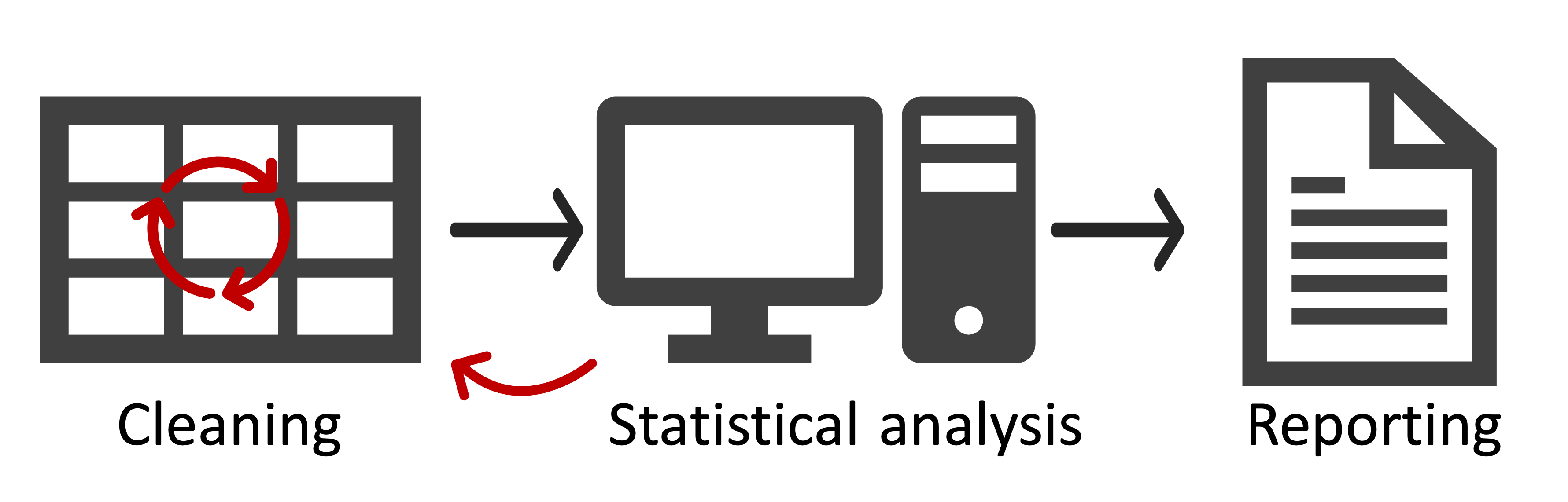
Why It Matters for Science
- Scientific rigor
- Transparency
- Auditable research
- Scientific discourse
Reproducibility in Research
- Already in crisis
- Will get worse
- Fast paced research environment
- Tendency to do more
- AI-integrated workflow
Why It Matters for You
- Your advisor asks for changes 6 months later
- Reviewer 2 requests additional analyses
- You want to apply the same methods to new data
| Problem | Impact on Your Work |
|---|---|
| “Table 1 doesn’t match the text” | Hours of manual checking |
| Can’t reproduce your old results | Lost time, lost confidence |
final_v3_FINAL_revised.docx |
Which version is correct? |
| Reviewer asks for sensitivity analysis | Days of rework |
The good news
A few simple practices can prevent all these problems.
The Solution: A Reproducible Workflow
Reproducibility requires transparency and avoiding human errors
Today you’ll learn three core principles:
- Version control — Track changes via Git
- Code with documentation — Code + text in one document via Quarto
- Extend it to write a full manuscript via Quarto Manuscripts
- Everything with scripts — Minimize manual processes
- Generate publication-ready tables and figures via scripts
- Automate repetition via functions and iterations
Why Version Control?
Sound Familiar?
project/
├── analysis_v1.docx
├── analysis_v2.docx
├── analysis_v3_FINAL.docx
├── analysis_v3_FINAL_revised.docx  ← Which one??
└── figures/
    ├── fig1_old.png
    └── fig1_FINAL_really.png
Which file is actually the latest?
Git: Track Changes for Your Project
What Git gives you:
- Complete history — every change, who made it, when
- Undo anything — go back to any previous version
- Experiment freely — try things without fear
- Collaborate safely — multiple people, no conflicts
Think of it as…
“Track Changes” for your entire project, not just one document.
Git in the AI Era
- AI tools can write code and text for you
- They write a lot, very quickly
- But can you trust the outputs? Can you track all changes?
With git version control…
- You know what changed
- So you have control
- Can ask AI to explain the changes and adjust, even months later
- Experiment and undo if needed
Why Quarto
Quarto for Reproducible Reports

What is Quarto?
- Next-generation literate programming tool
- Integrates text, references, code, and output
- Supports multiple languages (R, SAS)
- Multiple output formats
- HTML, PDF, Word, slides, dashboards, website
Key Benefits
- Single source of truth
- Reduces human errors from copy-pasting
- Automated output updates
- Purely text-based format (.md, .qmd) vs binary formats (e.g., .docx)
- Version control friendly
- Easy AI integration
Everything with scripts (Minimize manual editing)
The Traditional Workflow
Every change = repeat the entire cycle
- One change in formatting (e.g., “95% CI: xx - xx” to “95% CI: xx, xx”)?
- Reviewer asks for adding a covariate?
- Start over and manually create ALL tables.
- And you will make typos
- Start over and manually create ALL tables.
- Adviser suggests stratified analyses?
- Copy and paste, modify, and repeat analyses
- And you will make mistakes
- Copy and paste, modify, and repeat analyses
The Code-Based Workflow
%%{init: {'theme': 'base', 'themeVariables': {'primaryColor': '#f5f5f5', 'primaryBorderColor': '#333', 'lineColor': '#333', 'primaryTextColor': '#333'}}}%%
flowchart LR
    A["Write function once"] --> B["Iterate over<br>variables/subgroups"]
    B --> C["All tables & figures"]
    C --> D{"Feedback"}
    D -->|"Change"| E["Edit function<br>once"]
    E --> B
No more…
- Manual number entry
- Formatting inconsistencies
- Repeating similar code 10 times
- Functions + iterations (
purrr::map)- Write once, apply to many
- Functions + iterations (
Combining code-based tables and figures with text
- Easy to do in Quarto
- Write a complete manuscript in Quarto
- Quarto Manuscripts
- Write a complete manuscript in Quarto
- No more navigating across table/figure files looking for source code
- A clear structure & plain text
- Git and AI friendly
Summary & Next Steps
Three Takeaways
- Version control — Track changes via Git
- Code with documentation — Code + text in one document via Quarto
- Extend it to write a full manuscript via Quarto Manuscripts
- Everything with scripts — Minimize manual processes
- Generate publication-ready tables and figures via scripts
- Automate repetition via functions and iterations
Note
- These may not make sense until you try it
- As you implement these workflows, you will start to realize other benefits
Let’s Get Started!
- Open the workshop website (published from this repository via GitHub Pages)
- Open your template repository in Positron (or your preferred IDE)
Questions before we begin?
Shiba | January 20, 2026